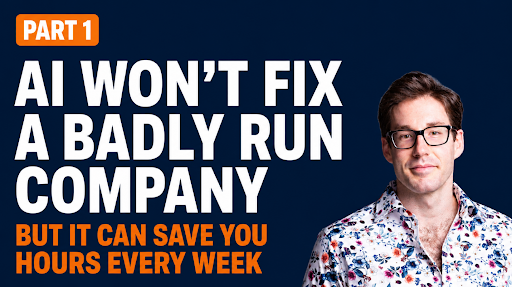
Dylan Davis is back. He’s an AI consultant and coach, and my collaborator on the Construction Genius GPT course. In part one of our AI for construction series, we covered the basics of what AI is, where it’s useful, and where it gets risky.
This episode is ChatGPT 201. You can open ChatGPT, type a few prompts, and get a decent email. That’s useful. It’s also random.
The next step is turning ChatGPT into a repeatable workflow that saves you time every week. We build one together, start to finish, around a task every contractor has. The meeting follow-up email.
What you’ll learn:
- – What makes an AI workflow instead of a one-off prompt
- – How to find your best automation targets inside the bid, the build, and the bill
- – How to teach ChatGPT your writing style with three to five sample emails
- – How to make the AI grade its own work before you see it
- – Why you should let the AI write the prompt, and how projects make it repeatable
- – What to do when the output is bad (hint: it’s your fault)
Listen or Watch the Episode
What Makes an AI Workflow Instead of a One-Off Prompt
Dylan’s answer is simple. Any task you do on a recurring basis. Recurring tasks eat time. Make a list of as many as you can. That list is what you attack with AI.
Bid, Build, Bill: Finding the Tasks Worth Automating
Think about your business in three buckets. You bid the work. You build the work. You bill the work. Inside each bucket are recurring tasks that take real time.
Here’s your first assignment. If you’re the president of your company, go to your chief estimator, your COO, your CFO. Charge them with building that task list with their people. Then prioritize the list. Rank the tasks by ease of automation first, importance second. Start with the task most likely to work.
Meeting Transcripts Are the Fuel
“I think transcripts are actually the fuel for future businesses.”
That’s Dylan. Most companies have tons of meetings and rarely record them. The ones that do record tend to toss the transcripts aside.
That’s a mistake. Think about a project update meeting. You’ve got the PM, the project executive, subs, the owner, maybe project partners.
Safety, schedule, manpower, coordination, RFIs, submittals, change orders, quality. All of it is in the room, and all of it lands in the transcript. Record the meeting and you capture the richest data set your company produces.
The Easiest Win: The Follow-Up Email
After a recurring meeting, somebody has to send the follow-up. What was discussed, what’s coming up, who owns what. That takes time twice. Once taking notes in the meeting, once writing the email after.
Record the meeting instead. You stay present in the room. Then drop the transcript into an AI that knows your tone and your structure, and it drafts the email for you. You vet it, you send it.
How to Build the Workflow
Here’s the process Dylan lays out, step by step.
Give It Your Writing Style
Take three to five diverse samples of follow-up emails you’ve already written. Give them to ChatGPT. Ask it to figure out your writing style and the structure of your follow-ups.
Define What Good Looks Like
Ask ChatGPT to pull five criteria from those samples that equate to a good email. Make them binary. Pass or fail. Bake them into the prompt so the AI grades its own work before it shows you anything.
And here’s a bonus I spotted in the conversation. If every good project meeting must cover schedule, manpower, coordination, RFIs, and cost issues, put that in the criteria. Now the AI flags the gap when your meeting misses something. It’s grading the email and your meeting at the same time.
Let the AI Write the Prompt
There’s a lot of angst around prompting. Relax. Prompting has gotten easier as the models have gotten smarter.
“As the model gets more intelligent, it needs less instruction.”
New models come out every month, each with different prompting best practices. Nobody keeps up with that. So don’t. Tell the AI to research the best practices for prompting the current model, then write the system prompt for you. Content, context, criteria in. System prompt out.
Put It in a Project
A ChatGPT project is a folder tied to a task. Drop your system prompt in it, and every time you open that folder and feed it a transcript, it does the same job the same way. Find it in the left menu inside ChatGPT, hit the plus button, done. Down the road, desktop agents like Codex from OpenAI or Claude Cowork from Anthropic take this further. Don’t start there. Start with the folder.
When the Output Is Bad, It’s Your Fault
Test the workflow on five different transcripts. Look for patterns in the mistakes.
Same mistake five times? That’s a prompt problem. Tell the AI what you noticed and ask what needs to change in the prompt.
“When you get an output from an AI, that’s where everything starts, not ends.”
Don’t assume ChatGPT sucks. It’s operator error. When I get a mistake from something I’ve put into my computer, I already know it’s my fault.
And check the context too. Dylan calls it AI empathy. If you were handed this task with only these two files and this prompt, could you do it?
If the answer is no, the AI is missing context. Feed it more.
Your Assignment
Pick one recurring meeting this week. Record it. Get the transcript.
Use ChatGPT to draft the follow-up with what needs to be done, when it’s due, and who’s accountable. Review it, improve it, send it.
Be patient. The first, second, or third iteration may miss. The companies that learn to use AI as they use it are the ones that will pull ahead.
Build one useful workflow. Then build the next one.
Subscribe and Connect
If this episode hit home, share it with someone on your team who runs a lot of meetings. Subscribe to Construction Genius wherever you get your podcasts. Leave a rating and a review.
Get on the waitlist for the Construction Genius GPT Course: https://ericanderton.activehosted.com/f/255
Connect with Dylan Davis on LinkedIn: https://www.linkedin.com/in/dylantdavis/
Dylan’s website: https://offerings.gradientlabs.co/
Dylan’s YouTube channel: Dylan Davis AI
👉 More from Construction Genius
- 📘 Get the book Construction Genius:https://www.amazon.com/Construction-Genius-Effective-Hands-Leadership/dp/B0BHTRDY1T/
- 🧠 Learn about The Shift: Construction Leadership Course